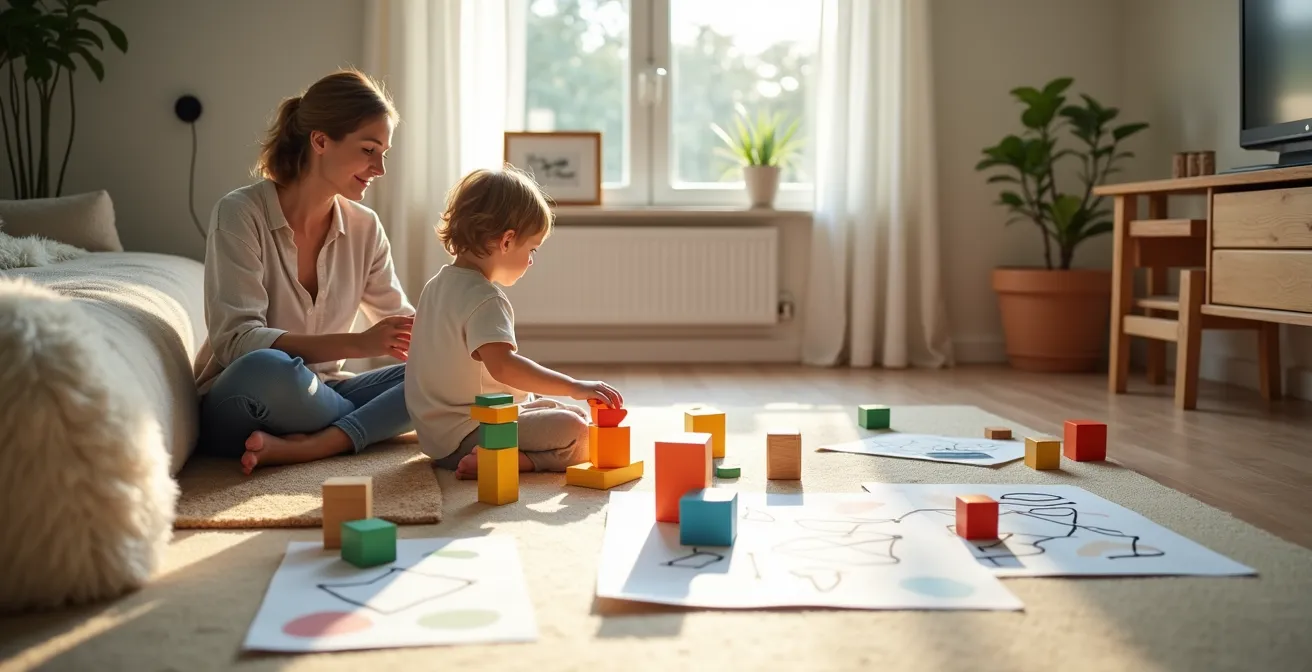
Teaching coding isn’t about screens or syntax; it’s about giving your child a “computational mindset” to solve everyday problems.
- Daily routines can be “debugged” like a program to reduce friction and build predictability.
- Emotional states like frustration are “infinite loops” that can be broken with clear, co-created “exit conditions.”
Recommendation: Frame daily challenges as logical puzzles, turning you into your child’s first, and most important, coding mentor—no computer required.
As a parent, you exist in a paradox. You want to prepare your child for a future dominated by technology, but you’re also justifiably concerned about the impact of excessive screen time on a developing brain. The common advice often feels generic: play board games, follow a recipe, or make the classic “peanut butter and jelly sandwich algorithm.” These are fine starting points, but they barely scratch the surface of what it truly means to think like a programmer. They teach sequence, but they often miss the deeper, more powerful concepts that drive innovation.
What if the key wasn’t just about teaching steps, but about reframing your child’s entire world? What if you could use the core principles of computer science to navigate the daily challenges of parenting, from morning chaos to frustrating meltdowns? This is the essence of a computational mindset. It’s a way of seeing life as a system—a set of inputs, processes, and outputs that can be understood, analyzed, and even improved. It’s about teaching your child not just to follow instructions, but to design the instructions themselves.
This guide moves beyond the platitudes. We will explore how to apply fundamental coding concepts—conditional logic, debugging, loops, and functions—to tangible, screen-free, everyday situations. You’ll learn to transform a messy morning into an optimized algorithm and a cycle of frustration into a solvable puzzle. You will become your child’s first and most influential coding teacher, all without ever opening a laptop.
This article provides a structured path to building these foundational skills. Each section unpacks a core computer science concept and translates it into a practical, unplugged parenting strategy you can implement today.
Summary: How to Teach Algorithmic Thinking to a 5-Year-Old
- If This, Then That: Teaching Consequences Through Coding Logic?
- The Morning Routine Bug: How to “Debug” Your Child’s Schedule?
- Draw the Path: Why Flowcharts Help Kids Make Better Decisions?
- The Infinite Loop: How to Break the Cycle of Frustration?
- The Treehouse Algorithm: How to Plan a Big Build Step-by-Step?
- Why Knowing “What Comes Next” Reduces Meltdowns by 50%?
- Why the “Up Next” Button Kills Curiosity and Critical Thinking?
- Sudoku or Crosswords: Which Puzzle Best Delays Cognitive Decline?
If This, Then That: Teaching Consequences Through Coding Logic?
The “If-Then” statement is the most fundamental building block in any programming language. It’s the simple logic of cause and effect: IF a certain condition is met, THEN a specific action occurs. For a five-year-old, this isn’t an abstract concept; it’s the invisible script that governs their entire world. Instead of just saying “because I said so,” you can frame consequences using this clear, logical structure. “IF you finish putting your toys away, THEN we can read an extra story.”
This approach transforms you from an enforcer of rules into a co-designer of a predictable system. The logic is transparent and fair. You can make it a game: “IF I clap my hands, THEN you jump.” Or connect it to the real world: “IF it’s raining outside, THEN we need to wear our rain boots.” By consistently using this language, you are installing the foundational software for understanding consequences, making choices, and seeing how one action directly leads to another.
This isn’t just a hunch; it’s backed by research. A study with 69 children aged 5-6 found that unplugged coding activities, when practiced for just one hour a week, significantly improved computational thinking skills. When you integrate If-Then logic into daily interactions, you are embedding a core component of this powerful mindset directly into your child’s operating system, preparing them to think more critically about the choices they make.
The Morning Routine Bug: How to “Debug” Your Child’s Schedule?
Every parent has experienced it: the morning routine that grinds to a halt for no apparent reason. In programming, when a program stops working correctly, we call it a “bug.” The process of finding and fixing that bug is called “debugging.” Your child’s morning routine is, in essence, an algorithm—a sequence of steps designed to achieve a result (getting out the door on time). When it fails, it’s time to debug.
Instead of getting frustrated, adopt the role of a systems analyst. The first step in debugging is to identify where the program is failing. A visual system, like putting a colored brick or token in a jar for each completed task (getting dressed, brushing teeth, eating breakfast), makes the process tangible. When a delay occurs, you can look at the jar and say, “Okay, the ‘get dressed’ step is complete, but the ‘brush teeth’ step hasn’t run. Let’s find the bug.”

This collaborative debugging turns a moment of conflict into a problem-solving exercise. Is the “bug” that the toothpaste is missing? Or is there a “dependency” issue, where your child can’t get dressed until their favorite shirt is found? By treating the routine as a program, you empower your child to become a co-developer in their own life, identifying and fixing issues with a logical, rather than emotional, approach.
Your Action Plan: Debugging the Morning Routine
- Create a visual chart: Use picture cards to map out each step of the morning “program.”
- Implement a token system: Place one token in a jar for each completed step to track progress.
- Isolate the bug: When a delay occurs, use the tokens to pinpoint exactly where the routine stalled.
- Find the root cause: Ask the “5 Whys” (e.g., “Why didn’t we brush teeth?” “Because the toothbrush was gone.” “Why was it gone?”).
- Rewrite the code: Work together to adjust the routine for tomorrow to prevent the same bug from happening again.
Draw the Path: Why Flowcharts Help Kids Make Better Decisions?
Decisions can be overwhelming for a young child because the outcomes are often invisible. A flowchart is a powerful computer science tool that makes a decision-making process visible. It’s a map of possibilities. You don’t need a computer; all you need is a large piece of paper and some crayons. Start with a simple problem: “What should we do this afternoon?”
Your starting point is a box labeled “Start.” From there, you draw a path to a diamond shape—the decision point. Inside, write a question: “Is it sunny?” Two arrows lead from the diamond. One, labeled “Yes,” points to a box that says “Go to the park.” The other, labeled “No,” points to another box: “Build a fort inside.” Suddenly, a complex choice becomes a simple, visual path. You’ve created a decision tree.
This isn’t just about making plans; it’s about teaching a child how to think sequentially and anticipate different outcomes. This method helps develop what researchers call “unit thinking.” A study with 4th graders showed that physical flowchart activities helped them associate actions with units of code, allowing them to plan sequences with much greater accuracy. By drawing the path, you are giving your child a tool not just to make a choice for today, but a framework for making better, more logical decisions for a lifetime.
The Infinite Loop: How to Break the Cycle of Frustration?
In coding, an “infinite loop” is a piece of code that runs forever because its “exit condition” is never met. It’s a program stuck in a cycle. Does this sound familiar? A five-year-old demanding a toy, being told no, and then demanding it again and again with increasing volume, is trapped in an emotional infinite loop. The frustration escalates because they don’t have a clear exit condition.
Your role as the parent-programmer is to help them write one. Instead of just repeating “no,” you can debug the loop. First, pause the program. Establish a “break signal”—a physical action like three claps or a special word that means “let’s stop and think.” This interrupts the cycle. Then, articulate the problem: “We are in a loop. You keep asking, and I keep saying no. This isn’t working.”

Next, define the missing exit condition together. “The loop will stop when we decide on something else to do.” This shifts the focus from the impossible demand to a new, achievable goal. You can then contrast this with a “finite loop”: “We will try to build this tower five times, and if it falls, we will stop and try a different game.” By giving frustration a name and a logical structure, you are giving your child the tools for emotional debugging—the ability to recognize when they are stuck and, more importantly, how to break free.
The Treehouse Algorithm: How to Plan a Big Build Step-by-Step?
Ask a five-year-old to draw a treehouse, and they’ll draw a finished product. Ask them to build one with blocks, and they’ll likely start grabbing pieces at random, leading to a wobbly structure and frustration. This is the difference between an idea and an algorithm. An algorithm breaks a large goal into a sequence of small, manageable, and testable steps. In programming, we often group these steps into “functions.”
Instead of saying “let’s build a castle,” you can approach it like a software project. First, you need a function called `build_foundation()`. What does that involve? Finding all the big, flat blocks. Next, you need a `create_walls()` function. This modular approach has huge benefits. It makes the project less overwhelming and, critically, easier to debug. If a tower falls, you don’t have to scrap the whole castle; you just have to debug the `add_towers()` function. This process of breaking down a large problem is known as decomposition, a cornerstone of computational thinking.
Using Lego or building blocks as a coding exercise teaches this implicitly. Children learn that the order of operations matters and that changing one step in the “code” can alter the entire outcome. This function-based approach moves beyond simple sequencing to a more sophisticated form of project planning.
The difference between a sequential and a modular, function-based approach is profound. It’s the shift from amateur tinkering to methodical engineering.
| Traditional Approach | Function-Based Approach |
|---|---|
| Build castle in one go | build_foundation() |
| Continue adding pieces randomly | create_walls() |
| Fix problems as they appear | add_towers() |
| Hard to track progress | Each function can be tested |
| Difficult to identify errors | Easy to debug each module |
Why Knowing “What Comes Next” Reduces Meltdowns by 50%?
A child’s meltdown is often a system crash. It happens when an unexpected input (“We can’t go to the playground today, it’s closed”) meets a rigid program that has no instructions for how to handle it. Predictability is the bedrock of a stable system. When a child knows “what comes next,” their world feels secure and logical, dramatically reducing the anxiety that leads to meltdowns.
You can design their daily life with the same principles programmers use for “error handling.” A daily routine is the `main()` function of their day. But what happens when there’s an error? A good program has `try-catch` blocks—it TRIES to do something, and if it fails, it CATCHES the error and executes a backup plan. In parenting terms, this is simply “Plan B.”
You can practice this explicitly. “Today we will TRY to go to the library. IF the library is closed, our Plan B is to CATCH that problem and go to the park instead.” You are giving your child a pre-written script for handling disappointment. This isn’t just about avoiding a tantrum; it’s about building resilience. You are teaching them that errors are a normal part of any system and that a good plan always accounts for them. The world is no longer a source of unpredictable threats but a system with logical alternatives.
Why the “Up Next” Button Kills Curiosity and Critical Thinking?
The “Up Next” feature on streaming platforms is a marvel of passive engineering. It removes the need for a decision, creating a frictionless flow of consumption. But in doing so, it robs a child of the single most important act in learning: forming an intention. When a child is never required to ask “What do I want to do next?” or “Why did that happen?”, their critical thinking muscles atrophy.
Unplugged activities, by their very nature, force a child out of the consumer mindset and into the creator mindset. When you build with blocks, follow a recipe, or draw a map, you are not passively receiving information; you are actively structuring it. You are the one making the decisions, sequencing the steps, and solving the problems that arise. This active engagement is where true learning happens. As one computer science teacher notes, it’s about moving from passive consumption to active understanding.
As Kimberly Chicchi, a Computer Science Teacher at Achievement House Cyber Charter School, eloquently puts it:
Understanding why something works allows you to put it into context. It’s a beautiful puzzle.
– Kimberly Chicchi, Achievement House Cyber Charter School
When children step away from automated suggestions and create their own paths, they build essential problem-solving and logic skills. They learn to be the authors of their own experience, not just viewers. This shift is fundamental. It’s the difference between watching a movie about a boat and actually learning how to build one.
Key Takeaways
- Everyday routines are algorithms you can debug and optimize with your child to reduce friction.
- Emotional challenges like frustration can be understood as “infinite loops” with missing “exit conditions.”
- Shifting from a consumer mindset (“Up Next”) to a creator mindset (planning and building) is key for developing critical thinking.
Sudoku or Crosswords: Which Puzzle Best Delays Cognitive Decline?
While the title references cognitive decline, for a five-year-old, the question is more foundational: Which type of puzzle best builds the specific cognitive skills needed for a future in technology? Both Sudoku and crosswords are excellent brain-training tools, but they exercise different “mental muscles” that correspond to different aspects of programming.
A crossword puzzle is about pattern matching and information retrieval. You are given a clue (“a furry, four-legged pet”) and you must search your mental database for the word that fits the pattern (“c-a-t”). This is analogous to a programmer searching a database or an API for a specific piece of information. It strengthens language processing and knowledge recall.
Sudoku, on the other hand, is an exercise in pure, constraint-based logical deduction. There is no external knowledge required. All the information you need is on the grid. You solve it by applying a set of rules (each number can only appear once per row, column, and square) to eliminate possibilities until only one logical answer remains. This is much closer to the kind of abstract reasoning a programmer uses to write an algorithm or debug a complex system. Research shows that unplugged logic activities like these have a significant positive impact on developing systematic problem-solving skills in students.
For building a foundational computational mindset, Sudoku offers a more direct workout for the algorithmic part of the brain. However, both are valuable, as they teach a child to approach a problem with structure and patience.
| Skill Area | Sudoku | Crosswords |
|---|---|---|
| Logic Type | Constraint-based deduction | Pattern matching |
| Coding Parallel | Algorithm logic | Database lookups |
| Cognitive Focus | Abstract reasoning | Language processing |
| Problem-Solving | Pure logical deduction | Information retrieval |
| Best For | Mathematical thinking | Vocabulary & patterns |
By reframing your daily interactions through the lens of a computer scientist, you do more than just prepare your child for a digital world. You give them a universal toolkit for thinking, problem-solving, and building resilience. Start today by looking for the hidden algorithms in your life and invite your child to become your co-developer.